 Download Free Assets
If you’ve ever wished your notes could think with you, Notion AI might be exactly what you’re looking for. Notion has already earned a reputation as the all-in-one productivity hub for writers, students, startups, and remote teams. Now, with Notion AI built directly into the platform, it’s no longer just a place to store ideas—it actively helps you shape them.
In this review of Notion AI, we’ll break down what it does, how it feels to use, who it’s best for, and whether it’s actually worth your money. This is a real, practical look—no hype, no fluff.
What Is Notion AI?
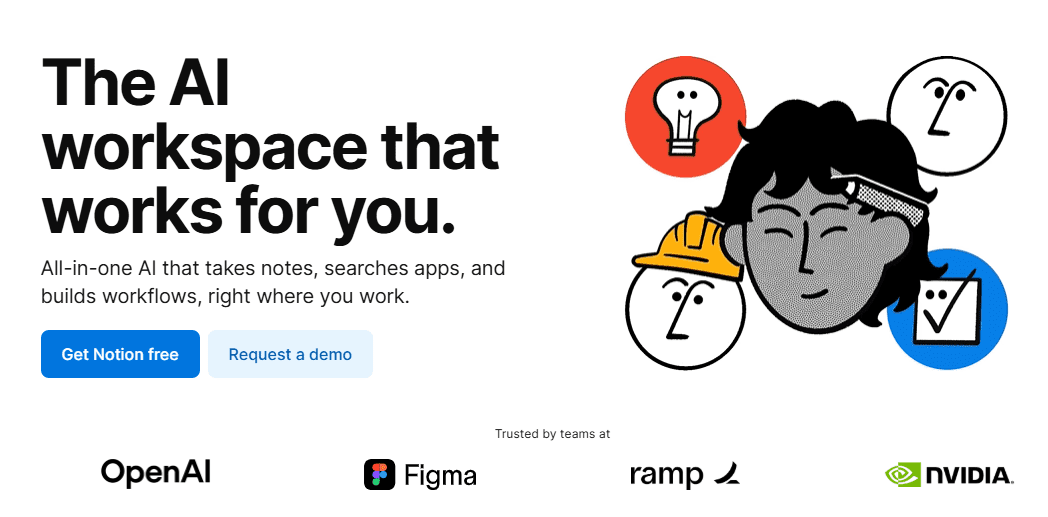
Notion AI is an AI-powered writing and thinking assistant embedded inside Notion. Unlike standalone AI tools, it lives right where you already write your notes, plan projects, manage tasks, or draft content.
Instead of copying text into another AI app, you simply highlight text or type a command like:
“Summarize this,”
“Rewrite this more professionally,” or
“Generate ideas for a blog post.”
The AI responds instantly—inside your Notion page.
That seamless integration is Notion AI’s biggest strength.
First Impressions: Clean, Fast, and Surprisingly Natural
From the moment you activate Notion AI, it feels… invisible in a good way. There’s no steep learning curve. No complicated prompts. Just clean, contextual help.
You can trigger it by:
- Typing
/ai - Highlighting text and selecting Ask AI
- Using built-in prompt suggestions
The responses are generally clear, well-structured, and readable. The tone leans neutral-professional by default, but you can easily ask it to sound more casual, persuasive, or academic.
For a tool that’s baked into a productivity app, the writing quality is impressive.
Key Features That Actually Matter
1. Writing and Editing on the Fly
Notion AI can:
- Rewrite messy paragraphs
- Fix grammar and clarity
- Adjust tone (formal, casual, persuasive)
- Expand or shorten content
This is perfect for blog drafts, emails, lesson plans, proposals, and scripts—especially if English isn’t your first language.
2. Summarization That Saves Time
Got long meeting notes or dense research content? Notion AI can summarize:
- Full pages
- Selected text
- Bullet points into clean takeaways
This feature alone can save hours every week, especially for students, managers, and researchers.
3. Idea Generation and Brainstorming
Stuck staring at a blank page? Notion AI helps you:
- Generate blog post ideas
- Create outlines
- Write introductions or conclusions
- Brainstorm marketing angles
It’s not replacing creativity—but it’s a strong creative partner.
4. Turning Notes into Action
One underrated feature is how Notion AI converts content into:
- To-do lists
- Action items
- Project steps
Meeting notes can instantly become a task list. That’s productivity gold.
How Good Is the Writing Quality?
Let’s be honest: AI writing can sometimes sound robotic or generic.
Notion AI does a better-than-average job, especially for:
- Professional writing
- Educational content
- Business communication
- Clean blog drafts
That said, it’s not perfect. You’ll still want to:
- Add your personal voice
- Fact-check important claims
- Polish creative writing
Think of Notion AI as a smart co-writer, not a final author.
Who Should Use Notion AI?
Notion AI shines for:
- Content creators & bloggers – faster drafts, better structure
- Students – summaries, essay outlines, clearer writing
- Teachers & educators – lesson plans, explanations, notes
- Startup teams – documentation, product descriptions
- Remote workers – emails, reports, meeting summaries
If you already use Notion daily, adding AI feels like a natural upgrade.
Pricing: Is Notion AI Worth It?
Notion AI is available as a paid add-on to your Notion plan. While it’s not the cheapest AI tool on the market, the value comes from convenience.
You’re not just paying for AI—you’re paying for:
- Zero context switching
- AI inside your workflow
- Faster thinking, not just faster writing
If you use Notion casually, you might hesitate. But if Notion is your main workspace, the price makes sense.
Pros and Cons at a Glance
✅ Pros
- Deeply integrated into Notion
- Clean, intuitive experience
- Great for editing and summarizing
- Saves time and mental energy
❌ Cons
- Not designed for heavy creative storytelling
- Requires paid upgrade
- AI responses can feel generic without guidance
Final Verdict: Is Notion AI Worth Using?
Yes—especially if Notion is already your digital home.
Notion AI doesn’t try to be everything. Instead, it focuses on helping you think, write, and organize better right where your work lives. That focus makes it one of the most practical AI tools available today.
If you want an AI assistant that blends into your workflow instead of distracting you from it, Notion AI is absolutely worth trying.
Rating: 4.5 / 5 ⭐