 Download Free Assets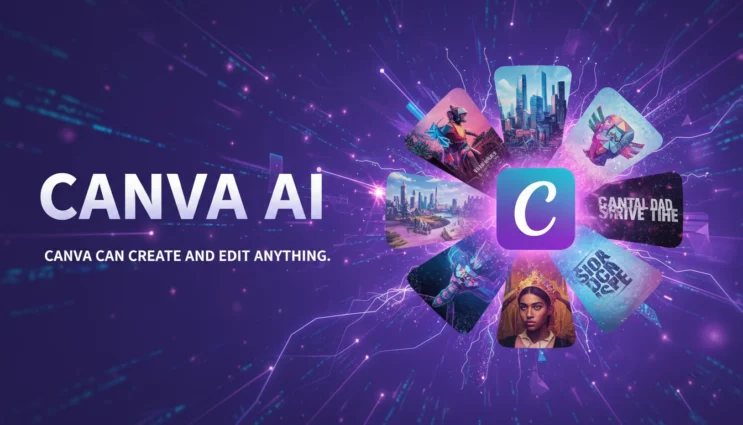
Once, design tools resembled gated communities. If you didn’t understand the layering, masking, and export preset jargon, you did not get inside. A few years back, Canva changed that by making design almost something conversational. Now, with Canva AI, that dialogue has become more intelligent, quicker, and even more human in a surprising way.
This is not simply another feature update. Canva AI is a revolution in people’s creating. Rather than struggling with tools, you simply tell what you want, and the platform answers. The software does not wait for you to be its master. It finds you where you are and moves with you.
The effect is less like using an app and more like having a creative assistant who never gets tired, never complains, and can make ten variations of an idea before you’ve finished your coffee, collaborating with you.
From Templates to Intelligence: Canva’s Quiet Evolution
Initially, Canva was a template, first platform. That in itself changed the conventional design processes. Teachers, marketers, students, small business owners, and social media managers could now easily access professional, grade layouts without hiring a designer.
However, later, something remarkable happened. Templates no longer were the primary focus. Instead, speed became the new currency. People wanted to be able to go from idea to final output faster, with fewer clicks and less friction.
Canva AI is essentially the perfect answer to that demand.
Rather than looking through numerous layouts, now you can simply type. Instead of manually searching stock libraries, the system can create images on demand. Instead of rewriting the copy over and over, AI tools can instantly suggest alternatives.
It is much more than just easy access.
It is a whole new way of thinking about creative flow.
The Magic Write Effect: When Words Arrive Before You Do
Writing has always been a bottleneck in design. You can have a beautiful layout, but if the text is weak, the entire piece collapses. Canva’s Magic Write feature attacks that problem directly.
You can ask for social captions, presentation content, product descriptions, or email copy. The system generates text that fits the context of your design. That’s important. It doesn’t just write in isolation. It understands the visual environment it’s working in.
What’s powerful here is not that it writes for you. It’s that it gives you momentum. Even if you don’t use the text as-is, it provides a starting point. That blank-page paralysis disappears.
For busy creators, momentum is everything.
Text to Image: Turning Imagination into Pixels
One of the most attention-grabbing features in Canva AI is text-to-image generation. You describe a scene, a style, or a concept. The system creates images that match your prompt.
This changes how people think about visuals. Instead of hunting through stock libraries for something “close enough,” you can generate something that’s exactly aligned with your idea.
Need a futuristic classroom? A cozy café illustration? A surreal background for a motivational poster? The tool can deliver variations in seconds.
This isn’t just about novelty. It’s about creative control. You move from being a chooser of images to a director of visuals.
Background Removal and Smart Editing: Invisible, But Powerful
Some of the most useful features of Canva AI are probably those that are the least flashy. Background remover, magic eraser, and smart object selection can be ignored at first glance, but they quietly save a lot of time.
Things that required a very precise selection method in the past, can now be done with a simple click. AI seems to recognize people, edges, and elements quite accurately.
This is quite significant as time saved on mechanical tasks translates into more time for creative thinking. When you no longer have to worry about perfectly clipping a product photo, you can work on storytelling, branding, and message clarity.
Technology becomes less noticeable, which is perfectly fine for technology.
Magic Design: From Idea to Layout in Seconds
Magic Design is definitely one of those features that give you a superpower in the most fun way possible. Just upload a photo, add some text, or even type in an idea. Canva AI automatically creates the entire beautiful layout for you.
The convenience here is that you can easily jot down your ideas, and the system will show you a way to present them visually.
It will figure out spacing, font style, color harmony, and arrangement for you without you having to do anything.
This is the beauty of it, youre not stuck with those designs. You have the freedom to change, move and personalize everything. The AI offers you a great initial draft. You are the final decision, maker.
It is working together, not one replacing the other.
Presentations That Build Themselves
Presentations are notorious time sinks. Slide after slide. Formatting headaches. Endless alignment tweaks. Canva AI changes that dynamic.
You can describe your topic, and the system generates a full presentation structure. Headings, subpoints, and visual suggestions appear automatically. The result is a coherent deck that you can refine rather than build from scratch.
For educators, trainers, and business professionals, this is a game-changer. It reduces preparation time and raises the baseline quality of every presentation.
Instead of spending hours on slides, you spend time improving the message.
Brand Voice and Visual Consistency at Scale
One of the hardest parts of content creation is staying consistent. Fonts drift. Colors shift. Tone changes depending on who created the design.
Canva AI helps solve this with brand kits and smart style application. Once you define your brand elements, the system applies them automatically across designs.
This becomes even more powerful when combined with AI-generated content. The system doesn’t just create. It creates in your style.
For growing businesses, this is huge. Consistency is no longer dependent on who is at the keyboard.
Social Media at the Speed of Trends
Social media moves fast. Trends appear, peak, and disappear in days. Canva AI is built for that tempo.
You can generate captions, resize designs for multiple platforms, and create visual variations quickly. The platform understands aspect ratios, platform preferences, and content styles.
This allows creators to respond to trends instead of missing them. Speed becomes a creative advantage.
Instead of planning weeks in advance, you can design in near real time.
Video and Animation: Not Just for Experts Anymore
Video used to be a barrier. Editing timelines, transitions, and audio syncing scared off many creators. Canva AI lowers that barrier significantly.
With smart suggestions, auto-captions, and layout guidance, video creation becomes more approachable. You can turn static designs into animated posts or short videos with minimal effort.
This expands who gets to tell stories with motion. That democratization matters.
Collaboration Powered by Intelligence
Canva has always been collaborative. Teams can edit together, comment, and share feedback. AI adds another layer to that collaboration.
Instead of waiting for a teammate to suggest copy changes, you can generate options instantly. Instead of asking a designer to try five variations, you can create them yourself and then discuss the best one.
This changes team dynamics. Creativity becomes more distributed.
The Psychology of Speed and Confidence
There’s a psychological effect to using tools like Canva AI. When creation becomes easier, people try more ideas. When iteration is fast, people take more creative risks.
That leads to better outcomes.
You’re more likely to test new messaging, explore different visual styles, and refine your brand voice. The fear of “wasting time” disappears.
Confidence grows because experimentation is cheap.
Not a Replacement for Creativity, But a Multiplier
One of the biggest misunderstandings about AI tools is the fear of replacement. Canva AI does not replace creativity. It multiplies it.
It handles repetitive tasks, suggests starting points, and accelerates workflows. The human still decides what matters, what feels right, and what aligns with goals.
The best results come from a partnership. The AI provides speed and options. The human provides judgment and vision.
Education, Small Business, and the New Creative Middle Class
Perhaps the most exciting impact of Canva AI is who it empowers.
Teachers can create engaging materials without design training. Small business owners can produce professional marketing without agencies. Students can present ideas more clearly. Nonprofits can tell their stories with stronger visuals.
This creates a new creative middle class. People who were previously locked out of design now participate fully.
The barrier to entry drops. The quality floor rises.
The Ethics and Responsibility of Easy Creation
With great power comes responsibility. When creation is easy, content volume increases. That makes authenticity more important than ever.
Canva AI users still need to think critically. Is this message honest? Does this design reflect reality? Are we adding value or just adding noise?
The tool makes creation easy. Meaning still requires intention.
Where Canva AI Fits in the Broader AI Landscape
Canva AI doesn’t exist in isolation. It’s part of a larger trend where software becomes conversational, adaptive, and context-aware.
Design tools, writing tools, and productivity platforms are all moving in this direction. Canva’s advantage is integration. Text, image, video, and layout live in the same environment.
That integration creates a smoother experience than juggling multiple apps.
The Future: From Tool to Creative Partner
If you analyze Canva AI closely, it already operates like a creative assistant. Later on, it probablywill to a partner.
Picture graphics that change instantly depending on how users interact with them. Image slides that change their content automatically depending on the comments received. Photo brand guidelines that continuously adapt to reflect the latest market trends.
The way is obvious. The instrument will turn into a more active proponent, more individualized, and more capable of forecasting.
It is not a question of if AI will influence design but rather a question of how deliberately we influence AI.
Why Canva AI Is Relevant At The Moment
We are surrounded by a world driven by content. Every company is a media player and every employee a communicator. To be visually literate is a necessity rather than a choice now.
Canva AI makes it easier for everyone to join in. It enables anybody to visually represent themselves without the need for years of study.
It is very important in terms of fairness, chances, and the freedom of artistic expression..
Final Thoughts: A Quiet Revolution in Plain Sight
Canva AI is not an innovative, loud, and flamboyant revolution. It is a quieter but much more potent.
It eliminates barriers, accelerates concepts, alleviates anxiety, and elevates quality.
Now the platform is more than a mere tool for designing. It is a center for thinking, writing, experimenting, and polishing.
In other words, Canva AI is not solely about generating more attractive images. It is about expanding the potential of creativity to be accessible, iterative, and more empathetic.
And that might be the most significant design improvement.