 Download Free Assets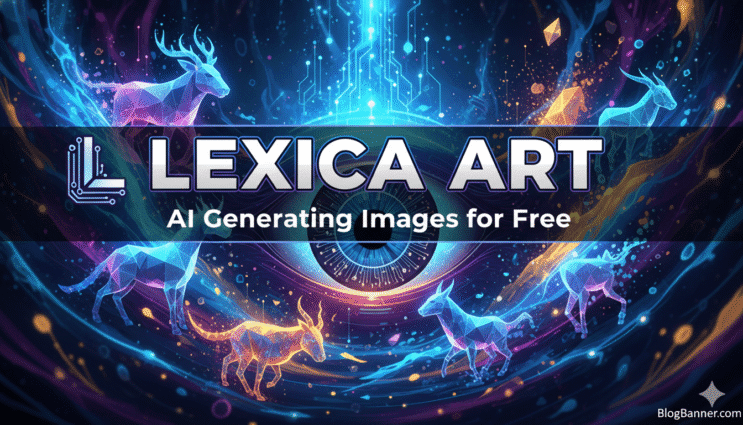
When it comes to creating stunning visuals without spending a dime, Lexica Art has quickly become one of the most talked-about AI image generators online. For creators, whether you’re a designer, marketer, student, artist, business owner, or someone who simply loves experimenting with AI toolsLexica offers a surprisingly powerful, easy-to-use, and fully free platform that makes generating impressive visuals feel almost effortless.
In this review, we’ll walk through what Lexica Art is, how it works, what makes it stand out, and whether it’s worth adding to your creative toolkit.
What Is Lexica Art?
Lexica Art is an AI-powered image generator built on advanced text-to-image models. It originally launched as a searchable database of AI-generated images, but its capabilities quickly evolved. Today, Lexica allows anyone to generate custom images simply by typing a prompt, no design skills required, no paid subscription needed.
It’s especially popular among creators because the interface is super clean, the images generate fast, and the style variety is wide enough for everything from social media content to design concepts.
Why Lexica Art Stands Out
1. Completely Free (With Unlimited Tries)
One of the biggest advantages of Lexica Art is that it offers free generation without strict daily limits. Unlike many AI platforms that cap you after 5–10 images, Lexica lets you keep generating until you get the perfect result.
For beginners or budget-conscious creators, this alone is a huge win.
2. Clean and Modern Interface
Lexica’s interface feels fresh, modern, and clean, it looks like something designed for everyday creators, not tech experts. You simply type your prompt, hit generate, and wait a few seconds.
There’s no clutter, no confusing menus, no complicated settings.
3. High-Quality, Aesthetic Visuals
Lexica’s images are known for being sharp, bold, and uniquely aesthetic. Many users describe the output as having a “cinematic” or “editorial” look even without complex prompts.
Some image generators require very detailed prompt instructions, but Lexica handles simple prompts extremely well.
4. Great for Concept Art & Digital Aesthetics
If you’re trying to create:
- anime-style characters
- product mockups
- portraits
- wallpapers
- interior design samples
- futuristic or sci-fi scenes
- aesthetic social media posts
Lexica Art is a perfect match.
Its style engine excels at color balance, lighting, and composition, often better than other free tools.
5. Fast Image Generation
Lexica generates results within seconds. This is a noticeable advantage compared to some free models that take a minute or two per image.
Faster generation means more experimenting and usually better output.
Key Features of Lexica Art
Text-to-Image Generation
Just type what you want, “a golden retriever wearing sunglasses,” “New York skyline in cyberpunk style,” “a cozy California beach house during sunset”, and Lexica handles the rest.
Prompt Inspiration Library
Since Lexica originally launched as a prompt search engine, you still get access to a massive gallery of community prompts and results. This is extremely helpful if you’re new to AI art and want to learn how others craft strong prompts.
Multiple Aspect Ratios
Lexica supports different image sizes including:
- square (great for Instagram)
- portrait (for posters/shorts)
- landscape (for banners and websites)
Simple Downloading
Every image can be saved in one click. No watermark. No registration required unless you want to save your history.
Areas Where Lexica Could Improve
No tool is perfect, and Lexica has a few limitations worth mentioning:
1. Less Control Than Advanced Platforms
If you’re looking for advanced features like inpainting, outpainting, layers, or multi-image composition, Lexica is more basic compared to tools like Midjourney or Runway.
2. Occasionally Repetitive Styles
Some users notice that Lexica images tend to follow similar color tones or patterns, especially with portraits. Not a major issue, but noticeable after long-term use.
3. No Video Generation
Unlike tools such as Runway or Pika Labs, Lexica is currently focused on still images only.
Who Should Use Lexica Art?
Lexica is an excellent choice for:
- content creators
- marketers
- students
- teachers
- graphic design beginners
- small business owners
- bloggers
- YouTubers
- people who want inspiration for illustrations
If you need fast, aesthetic, affordable (free!) AI visuals, Lexica is one of the easiest tools to start with.
How to Use Lexica Art (Step-by-Step)
- Go to Lexica’s website
- Type your prompt in the search/generation bar
- Adjust aspect ratio if needed
- Hit “Generate”
- Browse your variations
- Download your favorites
That’s it. No account required unless you want extra organization features.
Final Verdict: Is Lexica Art Worth It?
Absolutely, Lexica Art is one of the best free AI image generators for U.S. creators. It’s fast, easy to use, beginner-friendly, and produces visually impressive results with very little effort.
If you’re looking for a simple way to boost your creativity, design social media posts, visualize ideas, or experiment with AI art, Lexica Art is definitely worth trying.
Whether you’re building a brand, running a business, or just exploring the world of AI creativity, Lexica gives you a powerful tool without the price tag.